
Open-source NGFW for Debian 13 and Ubuntu 26.04 LTS
A firewallthat showsits work.
Furta NGFW turns a Linux box into a next-generation firewall: zone policy compiled to nftables, Suricata inspection, site-to-site tunnels and the Furta VPN with fresh MFA on every connection. Every decision it makes, you can trace.
Pre-release. Beta 0.4.0 is out for lab and preview hosts.
Follow a packet
Ten checkpoints, in the order the box runs them.
TCP 192.168.10.23:40000 → 198.51.100.7:443
LAN → WAN-
Anti-spoofing
pre_raw · prerouting · raw −300LAN is strict: the source routes back through lan0. -
Connection tracking
conntrack · lookupA new flow. -
Destination NAT
pre_dnat · prerouting · nat −100No destination NAT rule matches. -
Routing
routing · decisionOut through ppp-wan, the PPPoE uplink. -
MSS clamp
fwd_mangle · forward · mangle −150MSS clamped to fit the PPPoE link. -
Furta VPN ACL
furta/forward · forward · filter 0Neither side is the VPN interface. -
Zone policy
zone_forward · forward · filter 10LAN → WAN, policy 20 accepts. The flow's mark remembers the policy and profile. -
Suricata inspection
ips_dispatch · forward · filter 20Profile lan-outbound (fail-closed): Suricata lets it through. -
Source NAT
post_snat · postrouting · nat 100Masqueraded to the WAN address. -
Leaves the box
egress · out
Built on
- nftables
- Open vSwitch
- systemd-networkd
- Kea DHCP
- Unbound
- Suricata
- strongSwan
- WireGuard
- Furta
- Docker Compose
Changing the firewall
Nothing sticks until you confirm it.
A change that could cut your own connection is applied as one transaction and waits for you. Confirm it from the session it didn’t break, or the box puts the last good configuration back.
- Validate. Schema, meaning, capabilities, dependencies, and whether you can still reach the box afterwards.
- Apply as one transaction. Interfaces, routes, nftables and services move together.
- Confirm within the window. 120 seconds by default for changes that touch connectivity.
- Or roll back. No confirmation, a failed health check, an agent restart or a reboot all restore the last good configuration.
SSH and the admin UI stay reachable through a management anchor the policy can’t remove. If you still lock yourself out, furta-ngfwctl on the console repairs it.
Try it
The clock runs four times faster here. Confirm, or let it run out.
- Revision 7
- committed · last good
- Revision 8
- awaiting confirmation
What’s in the box
One box, the whole edge.
Grouped the way the admin UI is. The tag on each line is the build stage that delivers it, coloured by where that stage stands.
Network
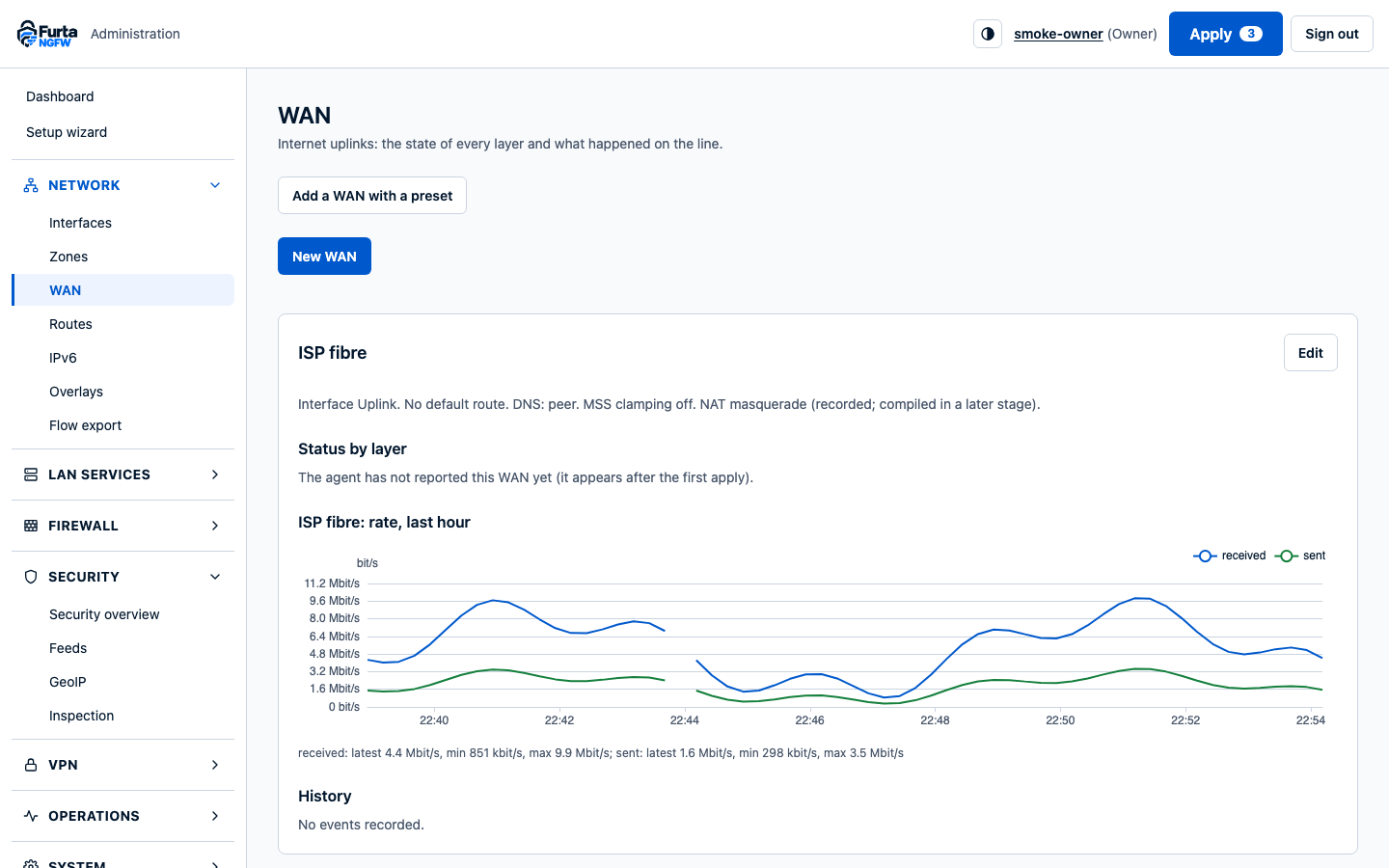
- Interfaces, VLANs, PPPoE and routing, owned by a host agent with scoped nftables tables S03
- Open vSwitch bridges: one L2 segment per zone, so traffic between zones is always routed through policy S02
Firewall
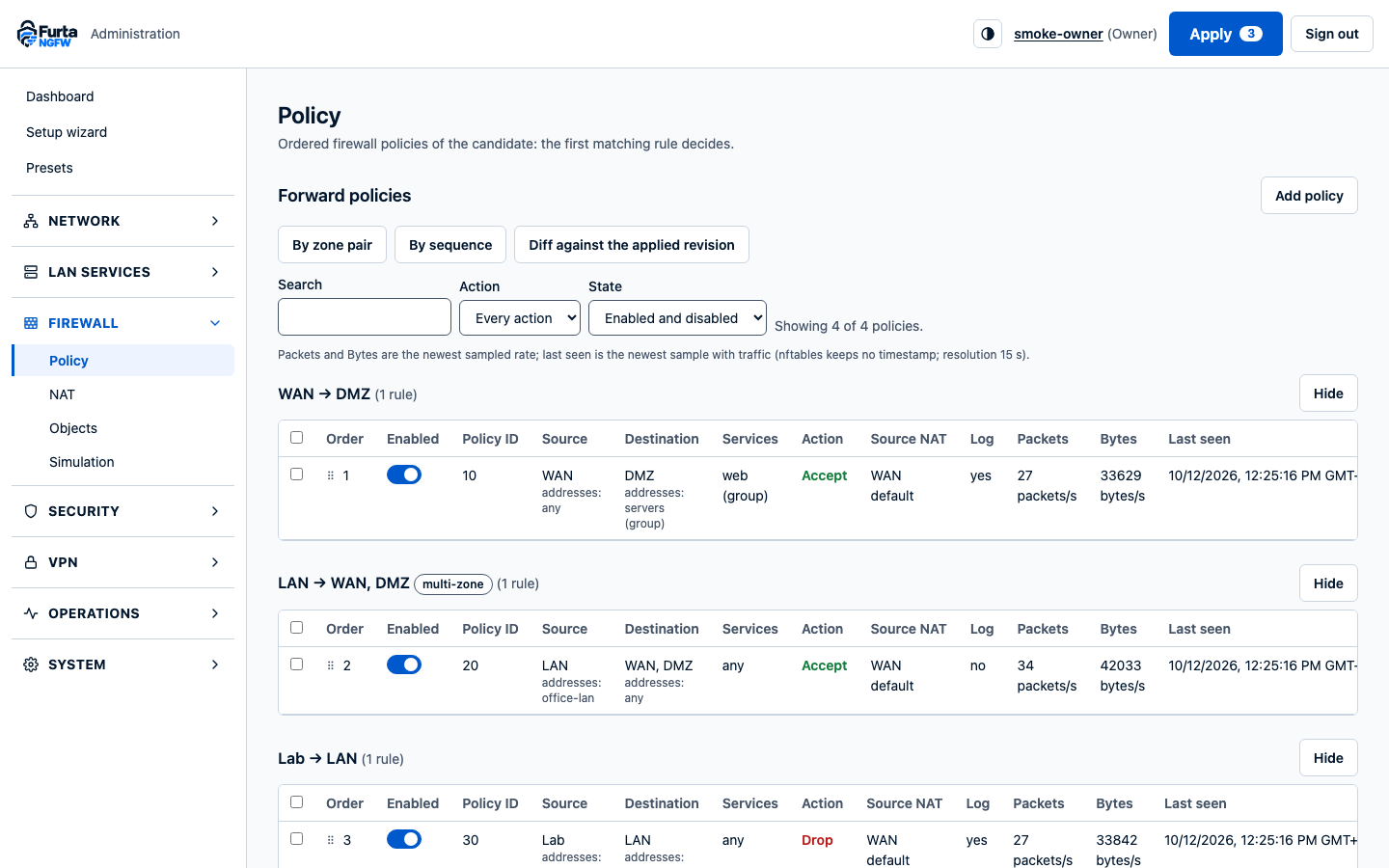
- Zone-pair policy with objects and services, compiled to nftables S04
- Destination NAT, source NAT and hairpin, plus policy simulation for any packet S04
- Policies by zone pair or in sequence, with counters, clone and bulk actions S11
LAN services
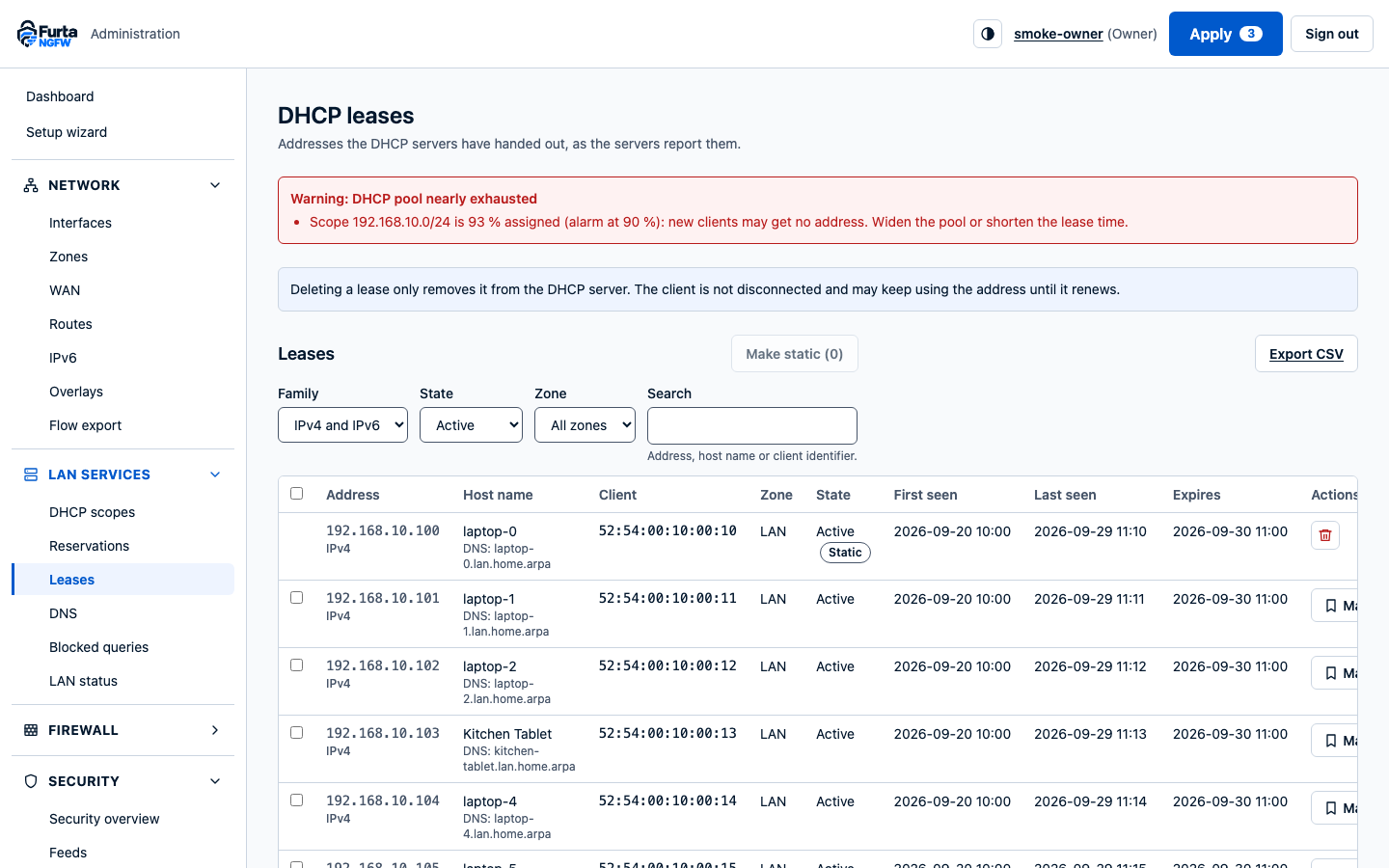
- Kea DHCP, Unbound DNS, router advertisements and a setup wizard S05
Guided setup
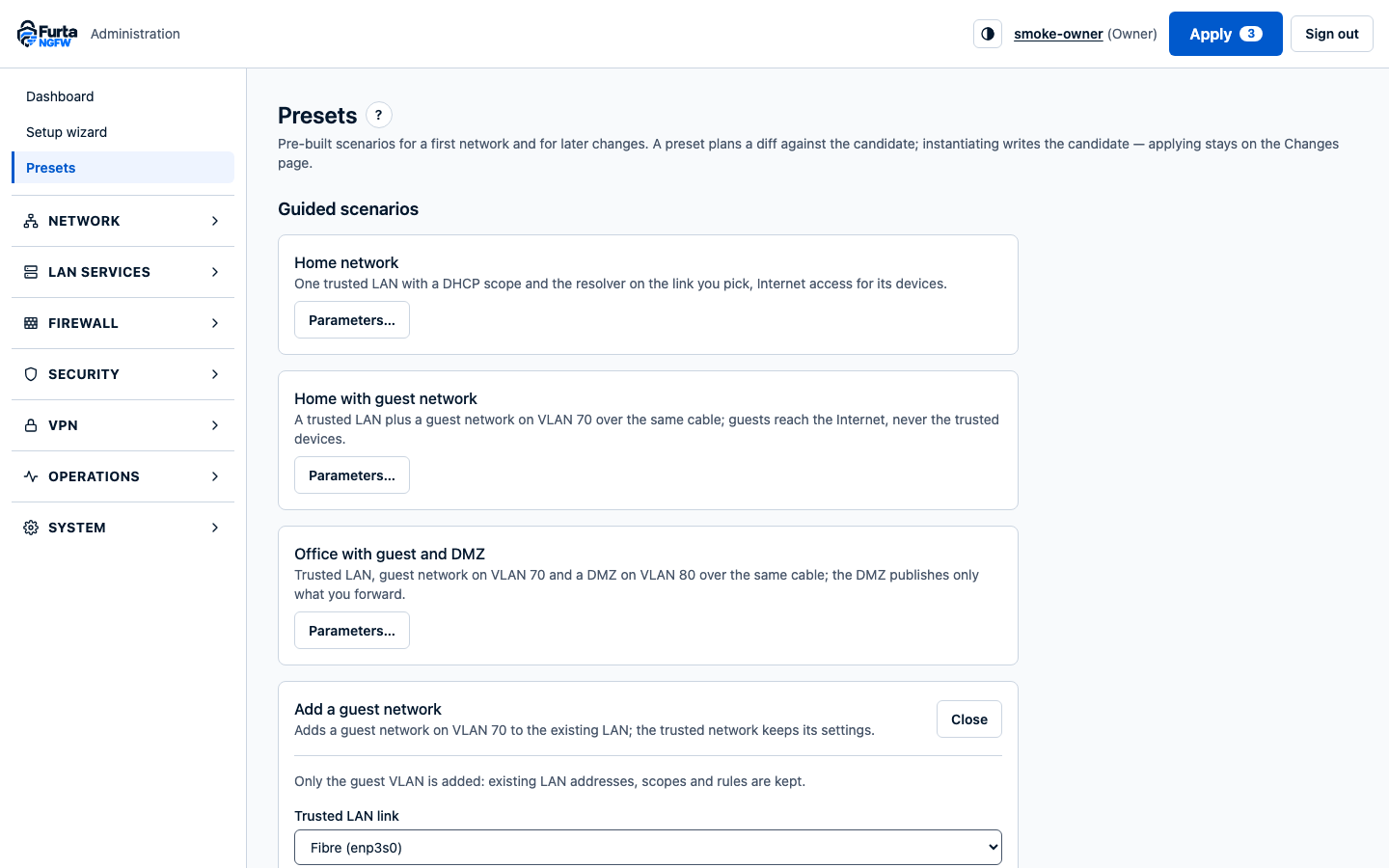
- A seven-step setup wizard: WAN, LAN, segments, services, protection, review, then checks that run after the apply S11
- Presets for a home network, a guest network or an office with a DMZ, shown as a diff before anything is applied S11
- Help in a side drawer for every page and field S11
VPN
- Furta remote access: fresh MFA on every connection, with zone policy on top of Furta's ACL S06
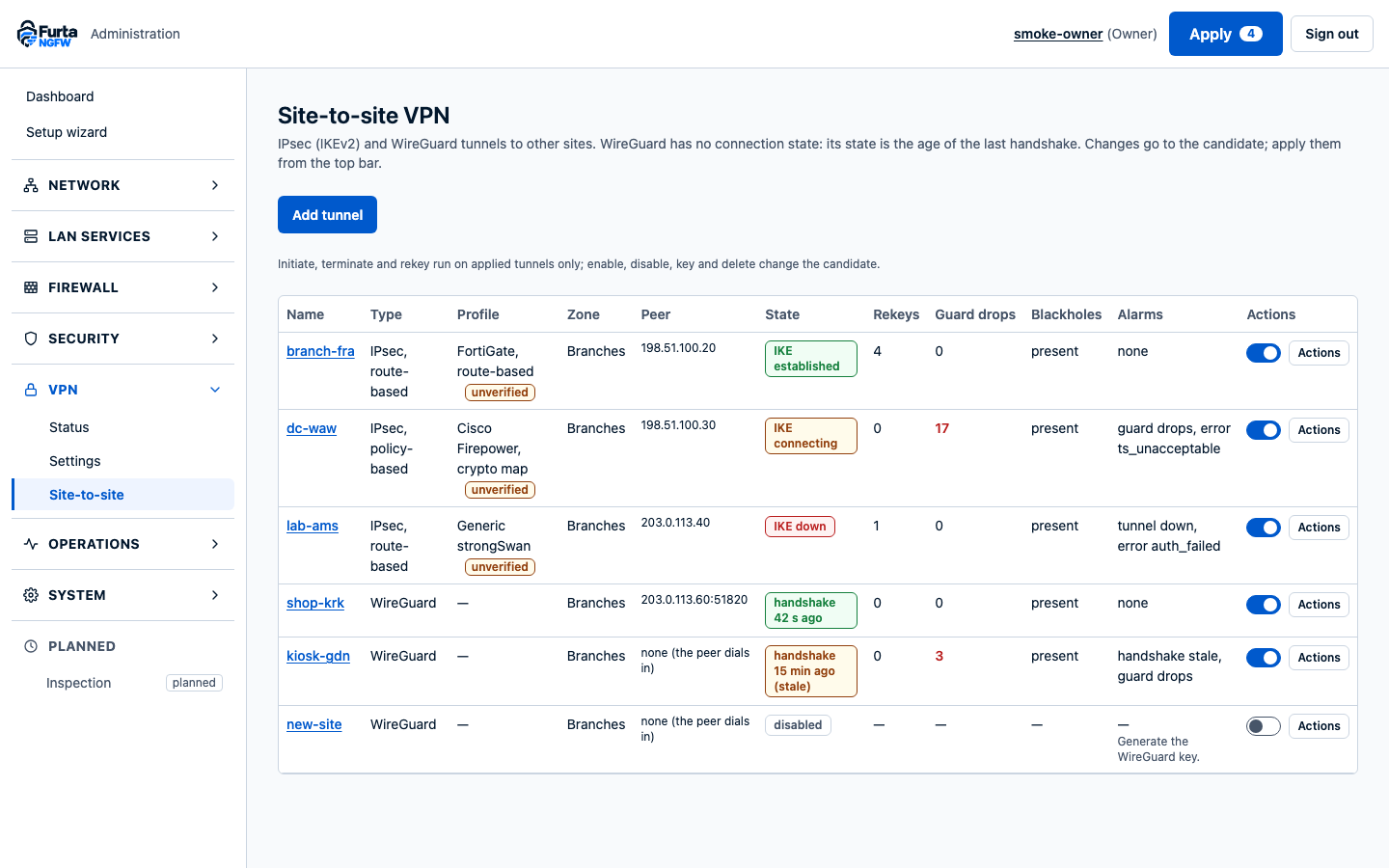
- Site-to-site with strongSwan IKEv2 (policy- and route-based, FortiGate and Firepower presets) or WireGuard S08
Security
- DNS filtering from HaGeZi and URLhaus, GeoIP objects, dynamic sets with bounded memory S07
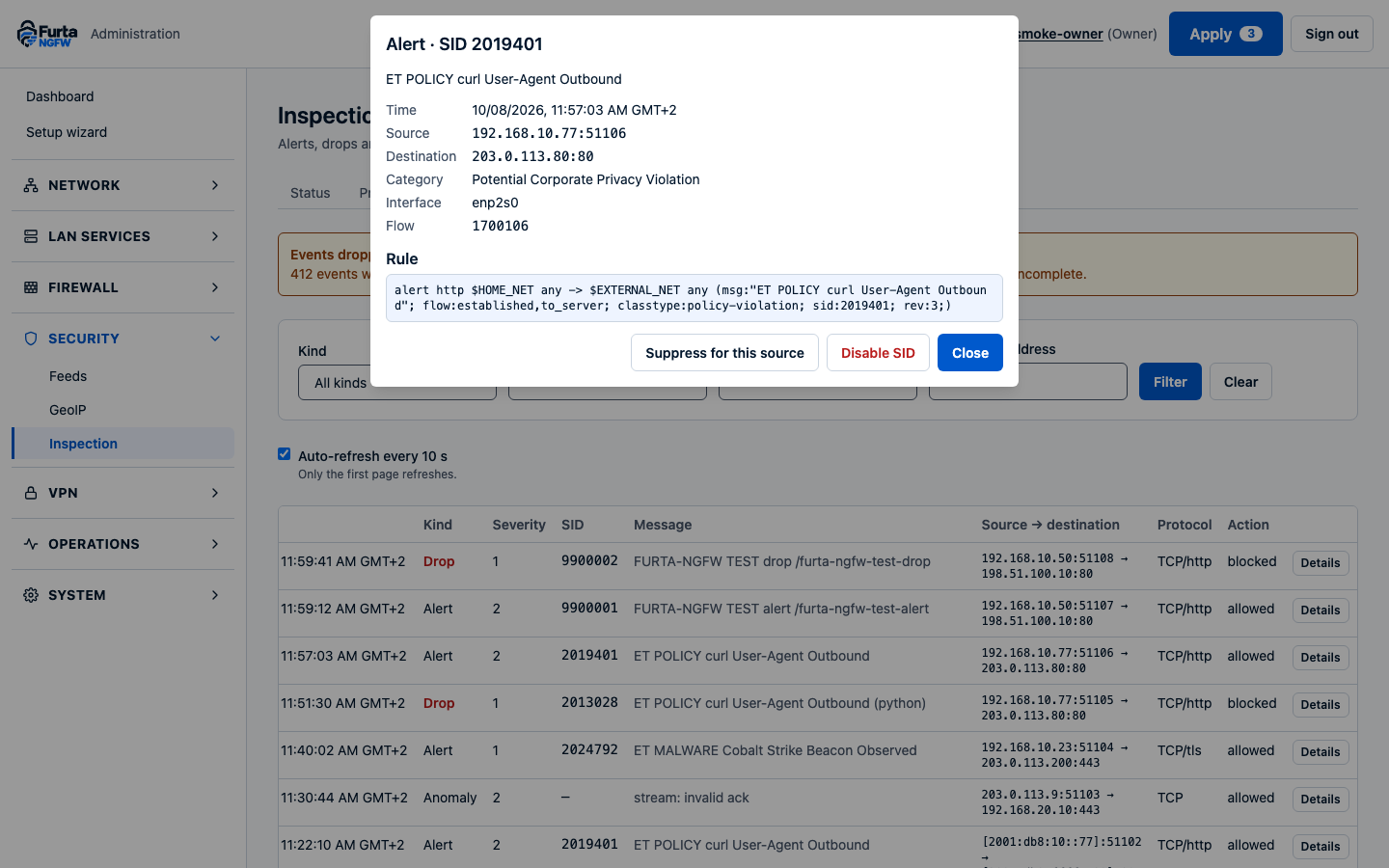
- Suricata IDS or IPS over NFQUEUE, profiles per policy, rule sources and datasets, updates with validation and rollback S10
Overlays
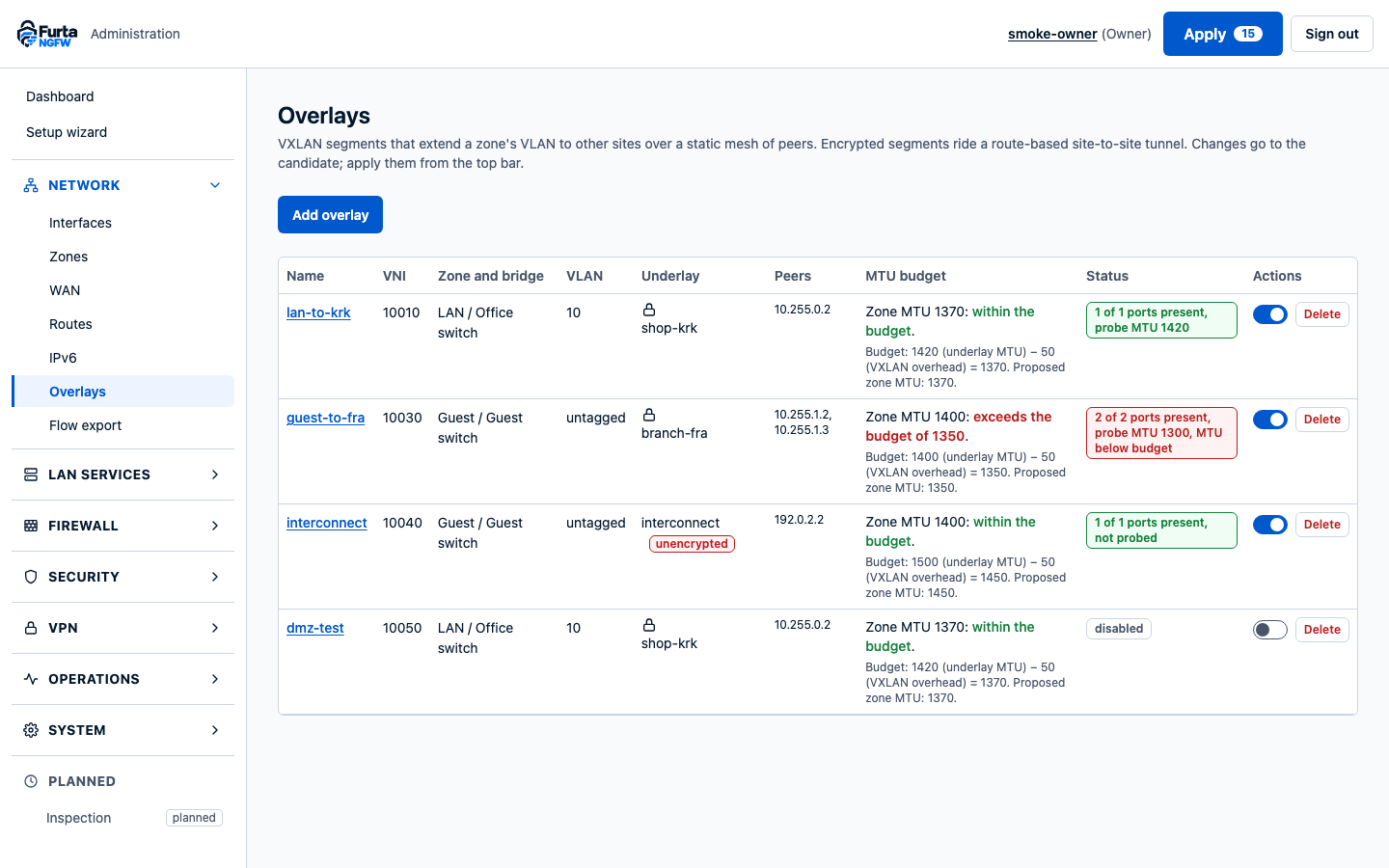
- VXLAN and GENEVE segments over Open vSwitch, with drift detection, an MTU budget and flow export S09
Operations
- Roles, audit log, transactional apply with confirm-or-rollback and a local recovery CLI S02
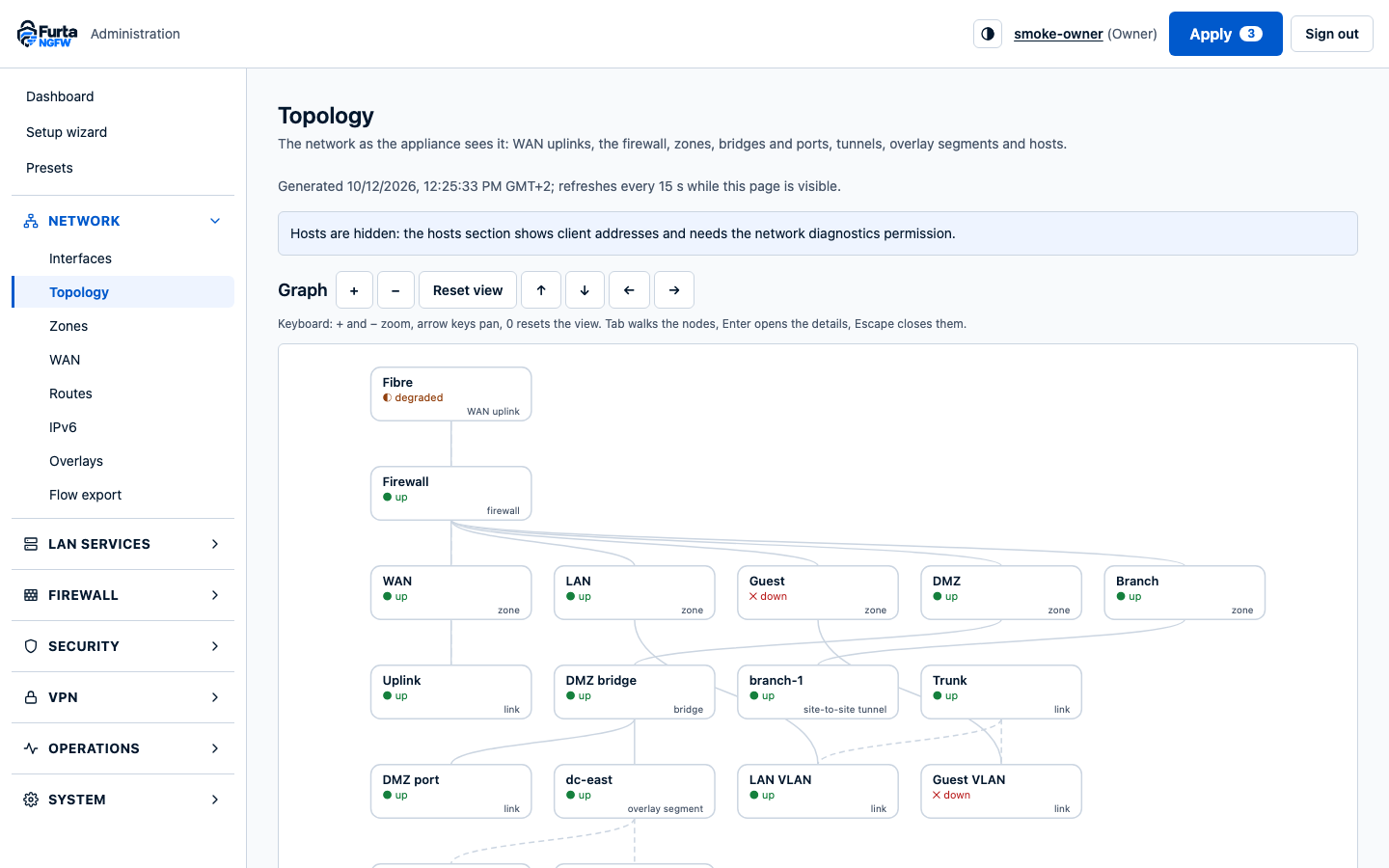
- A live topology map of uplinks, zones, bridges, tunnels and segments S11
- Dashboards, sessions, alarms and Prometheus /metrics; diagnostics with TCP connect, conntrack, neighbours and bounded packet capture S11
The admin UI
Ask first, then apply.
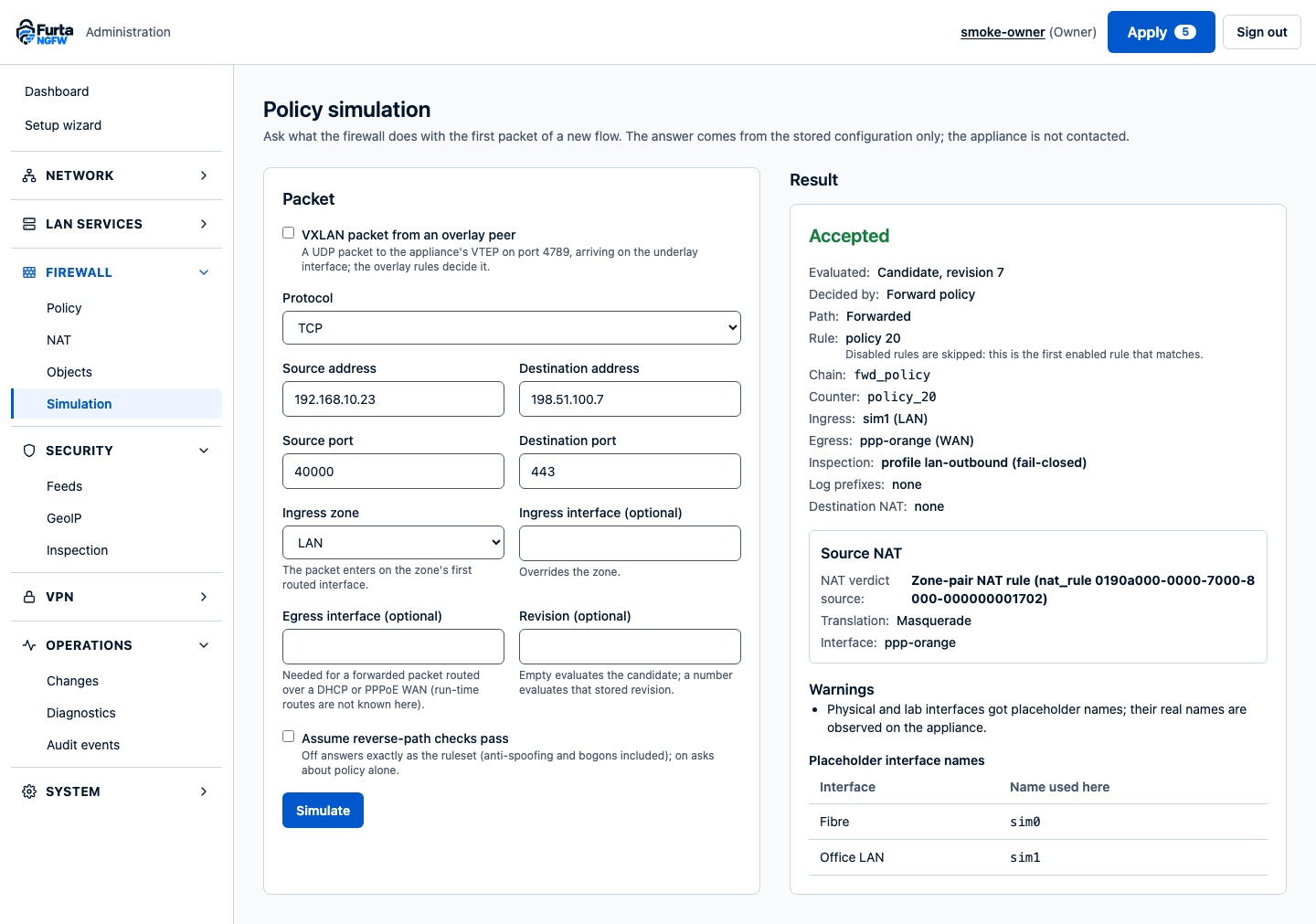
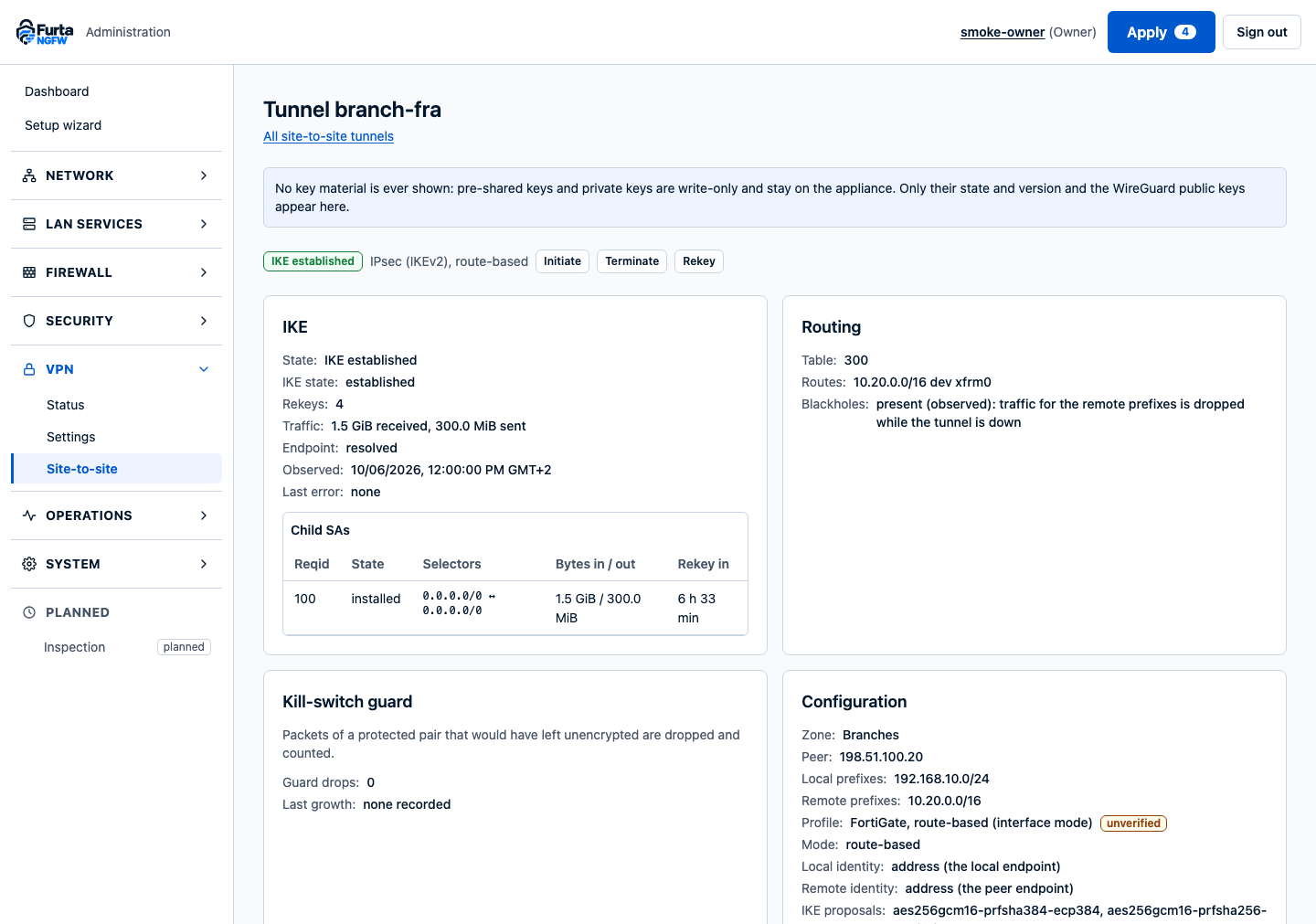
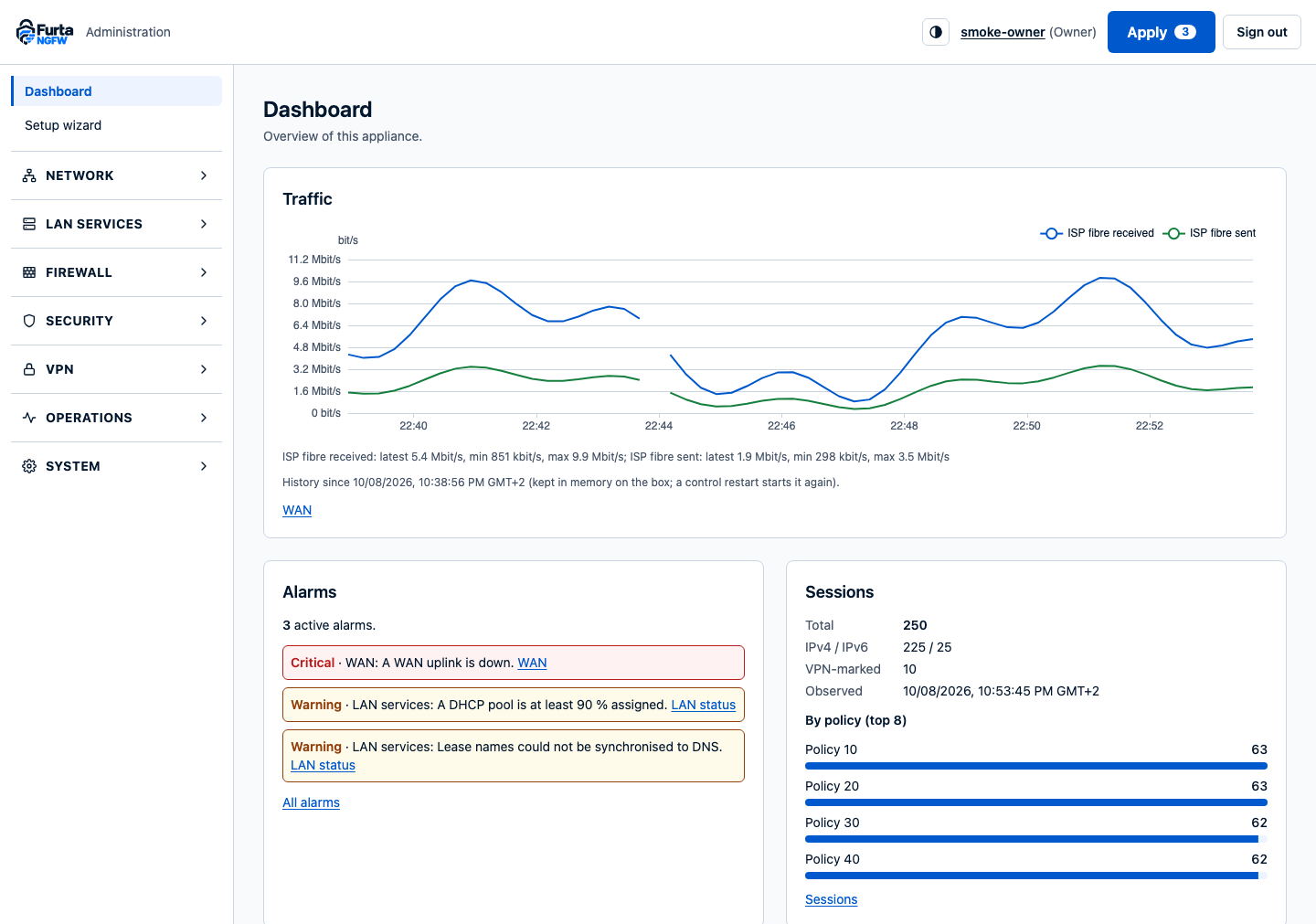
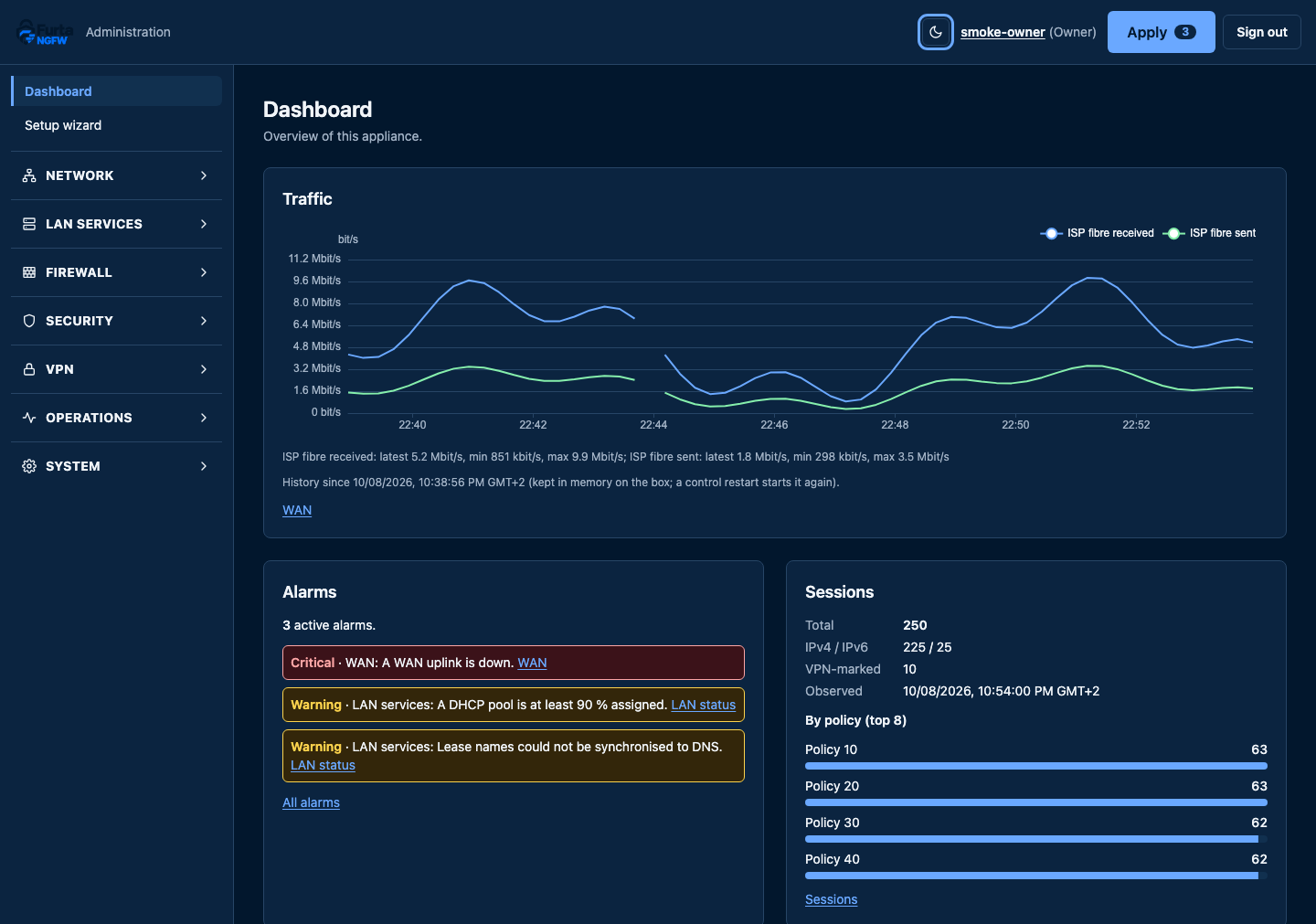
Simulate any packet against the configuration you are about to apply, then watch the box carry it out.
Where it stands
Built one course at a time.
Fourteen stages, each closed by a lab gate on both operating systems and then accepted. This is the honest state, not a roadmap promise.
- Accepted
- Passed its lab gate
- In progress
- Planned
Beta 0.4.0 · stages S01–S11
Put it on a spare box.
The beta is an offline bundle for a fresh Debian 13 or Ubuntu 26.04 LTS host, amd64 or arm64, with two NICs (or one NIC and a VLAN-capable switch). It downloads nothing while it installs. Coming from the 0.2 beta? Copy the new bundle over and re-run the installer with the same management address.
Pre-release. For lab and preview hosts, not production. Hardening (S12) is under way. Packages are unsigned; signing, an apt repository and SBOMs come with the release stage (S13).
The source, the beta bundle and the install guide will be published on GitHub.
# Mask the stock nftables service: its start and stop flush the whole ruleset.
sudo systemctl mask nftables.service# Optional: site-to-site IPsec and Suricata come from your distribution (suricata 8.0: trixie-backports on Debian 13).
sudo apt install charon-systemd strongswan-swanctl suricata# Check the download. The beta is unsigned; the checksums are the only integrity check.
sha256sum -c --ignore-missing SHA256SUMSfurta-ngfw-offline_0.4.0-beta.2_linux_amd64.tar: OK
# Unpack the bundle for your architecture.
tar -xf furta-ngfw-offline_0.4.0-beta.2_linux_amd64.tar && cd furta-ngfw-0.4.0-beta.2# Install. SSH and the admin UI open on the management interface, from its subnet only.
sudo ./install.sh --mgmt-ip 192.0.2.10 --with-furta-gateway